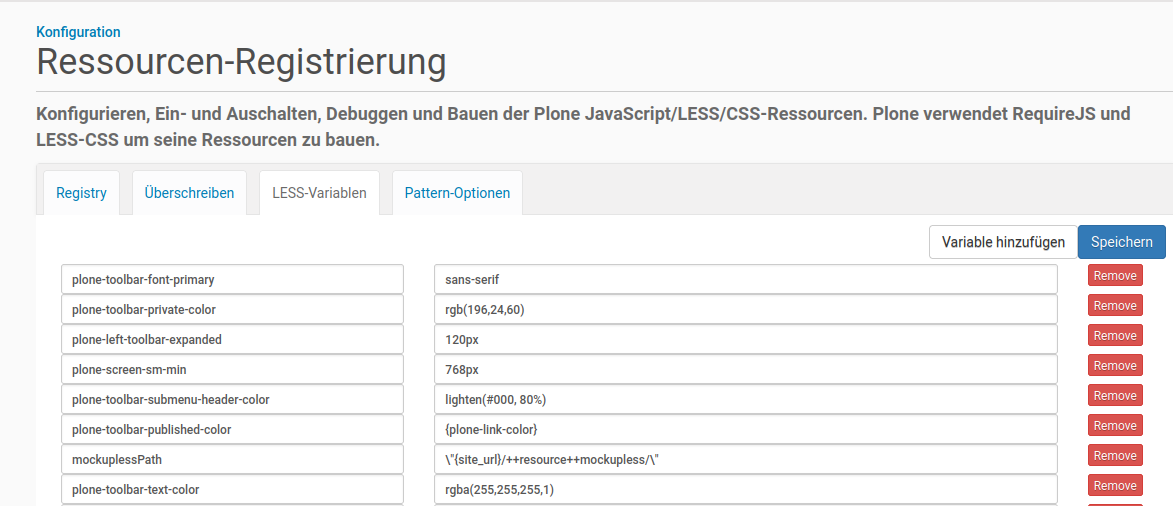
When compiling less files in a theme, some less variables are overriden by the ones defined in https://raw.githubusercontent.com/plone/mockup/master/mockup/patterns/toolbar/variables.less.
To reproduce it:
- Create a new Theme, e.g.
xyz - Create and save a file
xyz.lesswith following content
@plone-link-color: pink;
p { color: @plone-link-color; }
- LESS-compile the file to
xyz.css. The output is:
/* line 4, http://192.168.45.133:8080/Plone/++theme++xyz/xyz.less */
p {
  color: #007bb3;
}
Problems
- When making a copy of Barceloneta-Theme or inherit it, you might want to set
@plone-link-colorto your favourite color (e.g.pink. You would assume that assigning a value to@plone-link-colorwould do it. But no. Plone prepends the value#007bb3from the above mentioned url by compiling. So that (if you simple want to change@plone-link-color) you must change it at least in 17 places where it is used in the different less files. - When making your own theme you must not use any of the involved variables (see below).
- In seminars teaching how to customize Plone you must answer why this happens. And explain whether this is best practice.
Questions
- Where in Plone is that happening?
- Why is that happening?
- Is there a way to disable it?
Variables involved
@plone-gray-light, @plone-link-color, @plone-gray-lighter, @plone-toolbar-bg, @plone-toolbar-submenu-bg, @plone-toolbar-font-primary, @plone-toolbar-font-secondary, @plone-toolbar-separator-color, @plone-toolbar-link, @plone-toolbar-text-color, @plone-toolbar-submenu-text-color, @plone-toolbar-submenu-header-color, @plone-toolbar-published-color, @plone-toolbar-draft-color, @plone-toolbar-pending-color, @plone-toolbar-private-color, @plone-toolbar-internal-color, @plone-toolbar-internally-published-color, @plone-screen-xs-max, @plone-screen-xs-min, @plone-screen-sm-min, @plone-screen-md-min, @plone-screen-lg-min, @plone-left-toolbar-expanded, @plone-left-toolbar, @plone-toolbar-submenu-width, @plone-container-sm, @plone-container-md, @plone-container-lg