It has come to our attention that around the end of last week (January 9th), a Github Member account has tried to sneak in malicious code into our code base with several Pull Requests within the Plone organisation. So far we found three instances where this happened, but it was spotted before a merge could happen:
The Security- and Admin-Teams took action and removed the malicious account from the Plone Github organisation and reached out to the account owner. From what we learned later, the account was compromised using a stolen personal access token. The account owner did not act with malicious intent, and was not aware of the situation.
It is possible and likely that the attacker inserted the malicious code snippet in more PRs as well. Therefore we advise all maintainers of packages within the plone, zopefoundation or collective GitHub organisations to check even more carefully than normal the PRs (both open and merged) on those repos for abnormal code or changes, for the last two weeks: January 1 to January 14th.
Also as general advice, please enable 2-factor authentication (2FA) for your GitHub account and keep any personal access tokens (PAT) as safe, secure, time limited, AND specific in access permissions as possible.
(However, in specific cases the PAT could have been compromised and stolen without further account access which is guarded by 2FA. This is a risk of PATs that makes them convenient but allows access with a single code).
Update: we have discovered more attempts from the same hacked account on the same date (January 7). These were less easily visible, because they were not done on branches that belong to pull requests.
Most important is a successful insertion of malicious code to the master branch of the plone.app.mosaic add-on, by editing and force pushing this commit. This has not made it into a release. But if you have been developing on the plone.app.mosaic code since then, you may be affected.
This instance, and all other instances that we have discovered, have been dealt with, either by undoing the malicious change, or by closing the branch/PR.
You should check your GitHub account to see if any Personal Access Tokens (PATs) are there that you don't recognise. Go to Settings, scroll down to Developer Settings, and there check the Personal access tokens. Delete ones that you don't recognise.
In general it seems wise to regularly check this, also on other (developer) sites that you may be using.
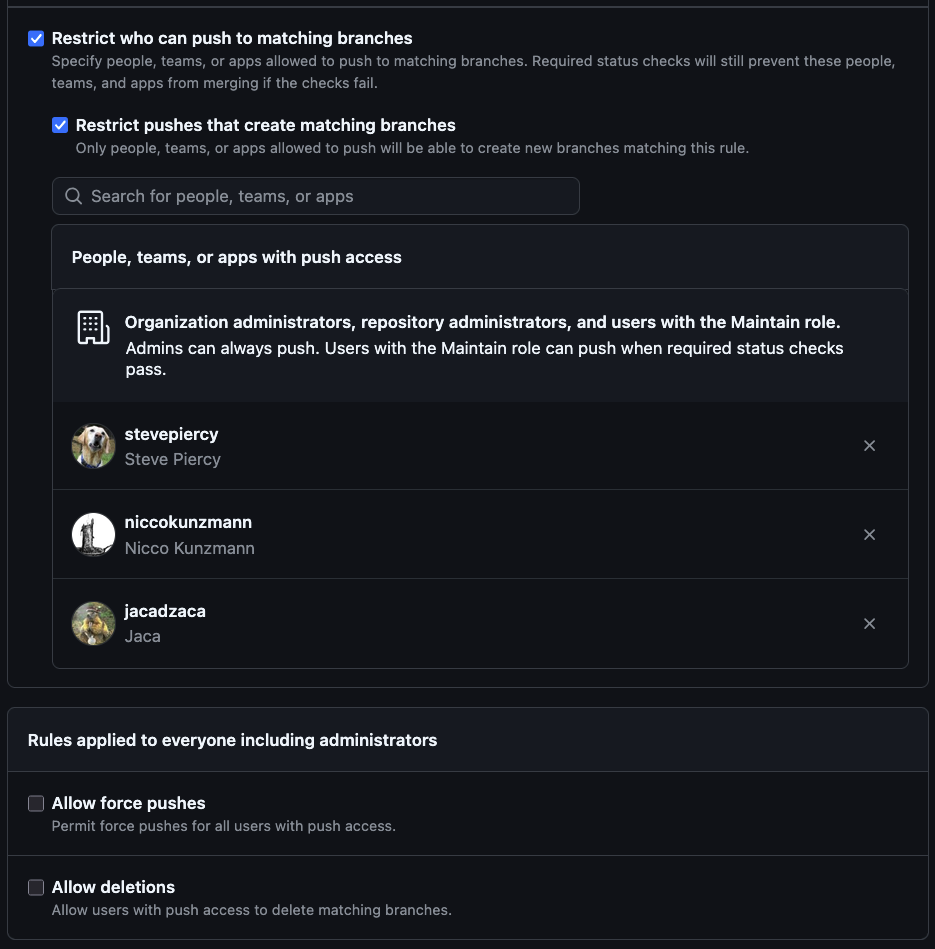
Today we have taken precautions on the GitHub plone org to prevent force pushes to default and maintenance branches and to tags. These precautions are active on all repositories. In many cases, individual repositories already had such branch protection rules in place, but not all of them.
Force pushing to feature branches (like for pull requests) is still possible, as this is a normal way to keep a clean git history. If you are reviewing a pull request, GitHub will show if a force push has happened. You should check if this is expected or not.
In the collective GitHub organisation we have no way to set these rules globally. If you have an add-on there that you feel responsible for, you should check if such branch protection rules are in place. If not, please add them.
@stevepiercy That looks good. The important thing there is that near the bottom "allow force pushes" remains unchecked.
On the plone org I did it with rulesets instead, which seems the only way to do it organisation wide.
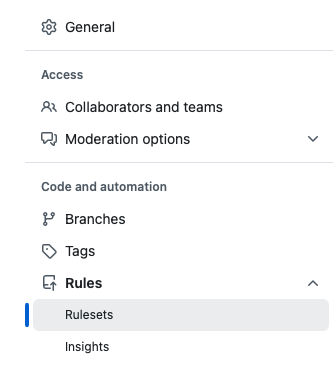
You can do that per repository as well. Go to Settings, then click Rules / Rulesets:
In icalendar I have now added a tag protection rule, but left it disabled. You can tweak it if you want (maybe let it only apply to tags with v*) and then enable it. Admins can always disable this again if it turns out to be too restrictive.
Hi, I’d like to thank all the people doing this incredibly important behind the scenes work. We/I always depended on you to manage the Plone code - now you have an additional responsibility of keeping out the bad guys.